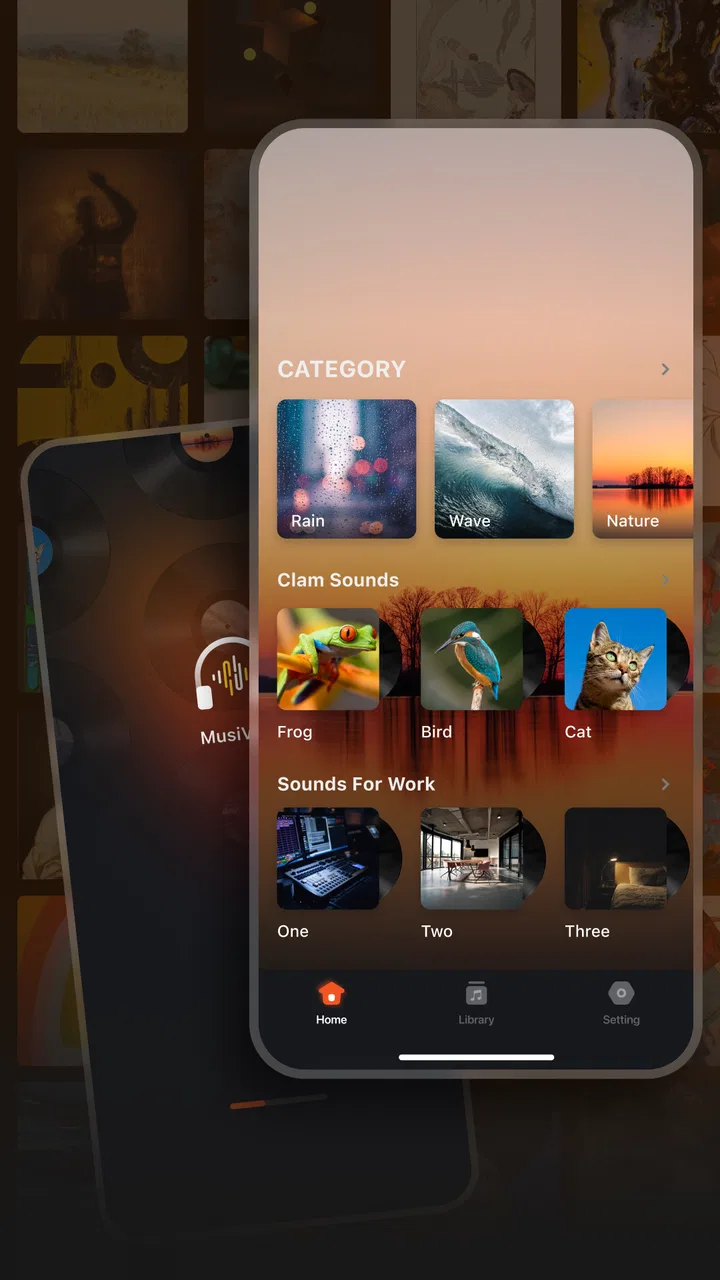
Musivibe - Enjoy Various Music
- 4.6
- Rating
- 1.00M
- Installs
- Free
- Price

 Analysis by App-foxy
I approached Musivibe - Enjoy Various Music as a simple entertainment app for people who want music and sounds available without depending on a constant connection. Its appeal is easy to understand: instead of treating listening as a complicated project, it aims to put different kinds of audio in one place and make offline use part of the experience. After spending time with it, I think that straightforward focus is also its biggest strength and its main limitation.
Musivibe is free, developed by Acunsewer Media, and suitable for Everyone. It runs on Android 8.0 or later, which makes it accessible on many older phones as well as newer devices. The current version is 1.3.2, and the app has already passed the one-million-install mark. Its average score of 4.6 from around sixteen thousand ratings suggests that many listeners find the basic idea useful, although a strong store score should never replace checking whether the app fits your own listening habits.
Getting past the first points of friction
The first thing I would tell a new user is not to judge the app too quickly if the opening experience feels less immediate than expected. An offline music app naturally creates a small setup question: what is available right away, and what needs to be prepared before leaving Wi-Fi? The answer affects how useful Musivibe feels during a commute, a flight, a walk, or any other situation where a connection may be unreliable.
You May Also Like

 Google Keep - Notes and lists
Google Keep’s Quiet Growth Shows the Appeal of Simpler Notes
As mobile work gets busier, Google Keep keeps winning a simple contest: capture a thought quickly, find it later, and get on with the day.

 Blood Strike: 2.5 Anniversary
Blood Strike’s Loadouts Turn Every Drop Into a Tactical Gamble
A close look at Blood Strike’s custom loadouts: how fast access to signature weapons reshapes its battle royale rhythm, rewards preparation, and narrows the gap between fights.

 Pandora - Music & Podcasts
Pandora’s Music Is Easy to Start, but Harder to Recover
Pandora’s strength is its low-effort path from a seed to a station. Its weak spot is how much confidence it asks you to place in connection, setup, and quiet recovery.

 8 Ball Pool
 Is Built on Rivalries, Rematches, and Routine
A close look at the rivalries, rematches, shared routines, and unanswered safety questions that turn a quick pool match into a persistent mobile community.

 Samsung Music
’s Quiet Strength Is Playing What You Already Own
Its reach comes less from spectacle than from dependable access to a personal library. That simplicity is both the app’s strongest retention engine and its ceiling.

 AccuWeather: Weather Radar
AccuWeather Review: A Quick, Clear Forecast for Everyday Decisions
For everyday plans, the best forecast is the one you can understand quickly. AccuWeather makes rain timing, radar, and local conditions easy to act on, with a few trade-offs.
More From Our News Desk



I recommend opening the app while connected to the internet and giving yourself a few minutes to explore its sound categories before planning to use it away from home. That simple habit avoids the common mistake of waiting until the phone is already offline and then assuming something is broken. The app’s purpose is broad listening across music and sounds, so browsing first helps you understand where the material you want is located and whether its selection matches your taste.
Another practical point is to keep expectations realistic. Musivibe is not automatically the same thing as a personal music library, a full streaming service, or a dedicated sound-effects tool. Those products usually have very specific strengths: one may be better for albums and artist discovery, another for files you already own, and another for carefully organized ambient audio. Musivibe sits in a more general entertainment space, which is convenient when you want variety but less ideal when you need deep control over a particular collection.
The most useful early check is whether your intended listening is available before you need it. I would test one short session at home, then switch off the connection and see how the app behaves with the material you selected. This is more informative than relying on the word “offline” alone because it reveals your own workflow: whether you can find the right content easily, whether playback resumes naturally, and whether the phone retains enough local space for what you want to use.
Small setup choices that make offline listening easier
I would also review the phone’s available storage before preparing a large amount of audio. The app is designed around offline listening, but offline content still needs room on the device. If your phone is nearly full, downloads or saved material may not complete cleanly, and the resulting problem can look like an app failure when the real issue is storage pressure. Removing unused videos, duplicate photos, or old downloads can be a more effective fix than reinstalling anything.
Battery condition matters as well. Listening without a network connection can reduce the work needed from the phone in some situations, but playback still consumes power. For a long trip, I would prepare the content in advance, charge the phone, and avoid treating Musivibe as a replacement for a power bank. This is especially sensible on older devices that already lose charge quickly.
Because Musivibe is an entertainment app rather than a professional audio workstation, I would keep the first test simple. Try ordinary listening with the phone’s usual audio output before changing several system settings at once. If playback works through the built-in speaker or normal headphones, you have a useful baseline. From there, it becomes much easier to identify whether the problem is inside the app, in the phone’s audio route, or in an external accessory.
Users also sometimes wonder whether a free app should be treated as a complete substitute for every paid music service. In my view, that is the wrong comparison. The better question is whether Musivibe gives you convenient access to the kinds of music and sounds you actually want, without asking you to build a complicated routine. If your priority is casual variety and offline access, the free price is a meaningful advantage. If your priority is a carefully maintained artist library, advanced discovery, or a familiar account-based ecosystem, a conventional streaming service may still be the better fit.
What to do when listening does not start correctly
When playback does not begin, I would work through the problem in a fixed order rather than repeatedly tapping the same control. First, confirm that the phone is not in a restricted offline state that prevents the app from completing its initial preparation. Next, check whether the selected item was actually made available for offline use. Then close and reopen Musivibe, and try a different piece of content. Testing another item is important because it separates a general playback issue from a problem limited to one selection.
If the app opens but sound is missing, check the phone’s media volume rather than only the ringtone volume. Then inspect where audio is being sent: a forgotten Bluetooth speaker, wired headphones with a loose connection, or a previously paired device can make a working app appear silent. I have found that this basic check solves more audio complaints than dramatic measures such as clearing all app information.
It is also worth checking whether another application is currently controlling audio. A video app paused in the background, a call, an alarm, or a system audio feature can interrupt playback. Close obvious competing apps, reconnect the headphones if necessary, and test Musivibe again. These are safe, reversible steps, and they preserve any content or settings you have already prepared.
If a particular item refuses to play while other items work, I would not immediately assume the whole installation is damaged. Move to another category, start a different selection, and return later. That comparison is a useful diagnostic habit. It tells you whether the issue follows the app everywhere or stays attached to one piece of content. In the latter case, continuing to retry the same item usually wastes time.
Recovering a routine after an interruption
Offline listening is most valuable when it remains dependable after interruptions. Phones pause audio for calls, navigation instructions, notifications, and battery-saving behavior. If Musivibe stops after one of these events, I would first unlock the phone and check the app directly instead of assuming the prepared content has disappeared. A quick resume test can show whether the interruption was temporary.
If the app repeatedly stops in the background, review the phone’s general battery-management settings. Some Android devices limit background activity aggressively, particularly for apps that have not been used recently. I would change only the relevant setting, test playback, and then decide whether the improvement is worth the possible battery cost. There is a real trade-off here: allowing more background freedom may make listening smoother, but it can also increase power use.
For a trip or a long period without connectivity, I prefer a two-stage workflow. I prepare the material earlier in the day, test it briefly in offline mode, and keep a second listening option on the phone. That backup does not have to be another streaming app; it could be audio already stored locally. The point is resilience. Depending on one application for hours of travel is convenient, but it leaves you exposed if the phone, headphones, or selected content behaves unexpectedly.
When the app seems to forget where I stopped, I would avoid repeatedly force-closing it unless necessary. Force-closing can interrupt normal state saving and makes it harder to tell whether the problem is a temporary pause or a persistent playback issue. A better sequence is to resume normally, try another item, and restart the phone only if the behavior continues across several tests.
Keeping the app updated can also be sensible, and Musivibe’s current version is 1.3.2. I would install updates when convenient, especially if the app has become unreliable after an Android system change. At the same time, I would not assume every update solves every problem. A phone’s storage, audio routing, battery controls, and network conditions can all affect the result independently of the app version.
Recognizing when Musivibe is not responsible
One of the easiest mistakes with audio apps is blaming the application for a hardware problem. Before changing Musivibe’s setup, test the phone with another audio source. If every app is quiet, the likely cause is the device volume, speaker, headphone connection, Bluetooth route, or system audio state. If other apps play normally and only Musivibe fails, then it makes more sense to focus on the app itself.
Network quality can also create misleading symptoms during preparation. A weak connection may leave content incomplete, make browsing slow, or interrupt the process needed for offline use. Switching briefly to a more stable connection is a better test than repeatedly pressing download or playback. Once the content is ready, test it with the connection disabled; that tells you whether you are using a genuinely available offline item or still depending on the network.
Storage is another frequent outside cause. A phone can appear to have space while still struggling with temporary files, system limits, or a nearly full media partition. If Musivibe behaves normally with a small amount of content but fails when you prepare more, storage becomes a strong suspect. I would remove unnecessary files and retry with a modest selection rather than deleting the app immediately.
There is also a difference between an app limitation and a personal expectation. Someone who wants studio-quality organization, extensive artist biographies, synchronized playlists across several devices, or precise control over an existing collection may find Musivibe too general. That does not mean it is malfunctioning. It means the app’s broad entertainment focus is not aligned with that listener’s priorities.
On the other hand, people who mainly want something easy to explore, who appreciate different categories of sound, and who need listening away from a dependable connection may find the broader design more comfortable than a service built around albums and subscriptions. I especially see value for casual listeners who do not want to maintain a large personal library and for users who want audio available during ordinary activities without making music management a hobby.
How it compares with familiar alternatives
Compared with mainstream streaming services, Musivibe’s strongest argument is simplicity around free access and offline-oriented listening. Traditional services often excel at artist catalogs, recommendations, playlists, and account continuity. They are usually the better choice when you know exactly which performers or releases you want and expect a polished library-management experience. Musivibe is more appealing when the goal is to browse across music and sounds without committing to a larger subscription-centered routine.
Compared with a phone’s local music player, Musivibe offers a different starting point. A local player is excellent when you already own organized audio files and want predictable control over them. It does not necessarily help you discover varied material. Musivibe makes more sense for someone beginning with categories and exploration, while a local player remains preferable for personal recordings, purchased files, or a carefully tagged collection.
Compared with dedicated ambient-sound applications, Musivibe may be more flexible because it is not limited to one narrow purpose. That flexibility can also make it less specialized. If your entire routine depends on a particular sleep sound, concentration loop, or highly controlled background track, a purpose-built sound app may offer a more focused experience. I would choose Musivibe when I want to move between different kinds of listening rather than repeat one specialized function.
The practical trade-off is clear: Musivibe favors accessible variety over deep library control. That is not a weakness for everyone. It becomes a weakness only when your listening habits demand exact organization, advanced account features, or a guaranteed workflow built around a specific catalog.
Who will get the most from the app
I think Musivibe is a good match for a listener who wants a free entertainment app, has an Android phone running version 8.0 or newer, and values the ability to prepare music or sounds before going offline. It can fit a daily commute, a quiet work session, a walk in an area with poor reception, or travel where mobile data is expensive or unreliable. The app’s Everyone rating also makes its general audience broad, although adults should still use normal judgment about what any open-ended entertainment catalog may contain.
A realistic routine might look like this: before leaving home, I connect to Wi-Fi, browse a few categories, prepare a small selection, and test one item with mobile connectivity disabled. On the train, I can then open the app without spending data simply to discover whether the material is ready. If the phone receives a call and playback pauses, I resume from the app and keep a locally stored backup available for the rest of the journey. This workflow is less glamorous than tapping a single button, but it is much more dependable.
I would recommend skipping Musivibe if your main requirement is a comprehensive music-management system. A person with a large personal collection, carefully arranged playlists, or a strong need for cross-device synchronization may feel constrained. I would also hesitate to recommend it as the only option for a long trip until the user has tested offline playback on their own phone. The app can be useful, but preparation remains part of the experience.
My practical verdict
Musivibe - Enjoy Various Music succeeds when I use it for what it appears designed to do: provide a broad, approachable way to listen to music and sounds, including situations where I want content available away from a connection. It is free, reasonably accessible on older Android devices, and supported by a substantial user base, with an average of 4.6 from roughly sixteen thousand ratings. Those figures make it worth trying, but the real decision should come from a short offline test rather than popularity alone.
My advice is to install it, explore while connected, prepare a small amount of content, and verify playback with the connection turned off. Check storage, battery behavior, and audio routing before blaming the app for interruptions. If that routine feels natural, Musivibe can become a handy everyday listening option. If you need exact albums, deep collection management, or professional sound organization, choose a more specialized alternative instead.
Overall, I see it as a practical companion rather than a complete replacement for every music service. Its best quality is the low barrier to casual listening across different categories. Its main friction is that offline convenience still requires a little preparation and troubleshooting. For users who accept that trade-off, Musivibe is a useful free addition to an Android entertainment setup, especially when dependable access matters more than elaborate controls.
FAQs for Musivibe - Enjoy Various Music
01What platforms is Musivibe available on?
Musivibe is available on both Android and iOS platforms, making it accessible to a wide range of smartphone users. You can download it from the Google Play Store for Android devices and the Apple App Store for iOS devices. Ensure your device meets the app’s system requirements for optimal performance.
02Does Musivibe require an internet connection to play music?
Musivibe offers both online and offline modes. While you can stream a vast library of songs with an internet connection, the app also allows you to download tracks for offline listening. This feature is perfect for users who want to enjoy music without using data or have limited connectivity.
03Is there a subscription fee for using Musivibe?
Musivibe offers a free version with ads and limited features, along with a premium subscription for an ad-free experience and additional functionalities. The premium version includes offline downloads, exclusive playlists, and higher-quality audio. Users can choose a monthly or annual subscription based on their needs.
04How user-friendly is the interface of Musivibe?
Musivibe boasts an intuitive and sleek interface designed for ease of use. The app organizes music into categories and playlists, making navigation seamless. Users can easily search for songs, create playlists, and explore new music. The design caters to both novice users and tech-savvy individuals.
05Does Musivibe offer personalized music recommendations?
Yes, Musivibe uses advanced algorithms to provide personalized music recommendations based on your listening habits. The app curates playlists and suggests new songs and artists you might enjoy. This feature enhances the user experience by introducing you to music that aligns with your tastes.
Pros
- Wide variety of music genres available.
- User-friendly interface for easy navigation.
- High-quality audio streaming.
- Offline listening option available.
- Regular updates with new features.
Cons
- Requires a stable internet connection.
- Ads can be intrusive in the free version.
- Limited skips on free plan.
- Some features locked behind paywall.
- Occasional app crashes reported.

Musivibe - Enjoy Various Music
Gallery